NetBar
A native SwiftUI menu bar network monitor. The bar shows live download and upload speed in a compact stacked readout (↓12.4Mb over ↑812Kb, about 40px of menu bar), and clicking it opens a panel with your link, addresses, session totals, and a sparkline you can hover to inspect any moment.
What the panel shows
The readout scales its own values and keeps the unit small, or switches to a one-line wide style. The panel lists your link (Wi-Fi generation, signal, band and rate, or Ethernet and VPN speed), network name, interface, local IP, router, public IP, session totals with a reset, and the two-minute peak and average. Click any value to copy it; privacy mode masks the identifying rows for screen sharing. When several interfaces are up, the interface row becomes a picker; on a Starlink connection a row appears with one-click links to the dish page and to a dashboard of your own.
It reads the kernel's own 64-bit interface counters over sysctl - no shell-outs, no agents, no background network calls - samples less often when the connection is quiet or the Mac is in Low Power Mode, and idles at about 0.25% CPU in 17 MB of memory.
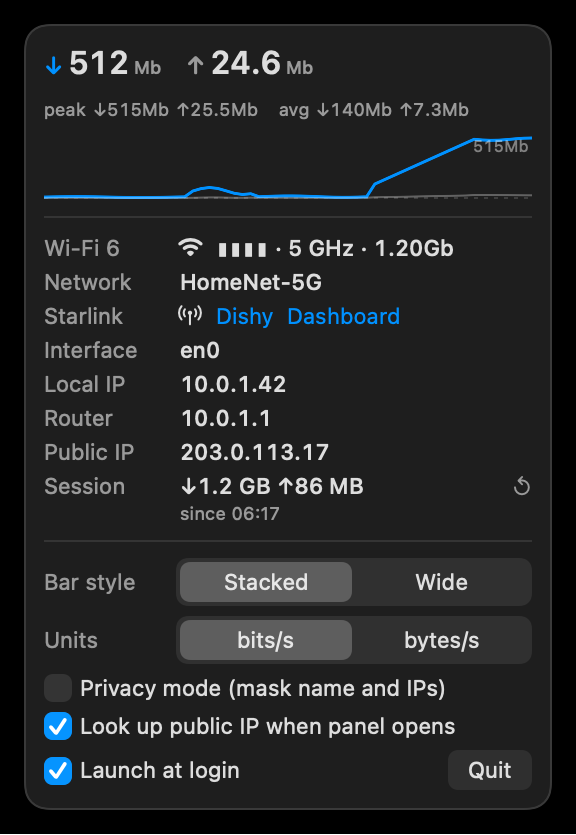
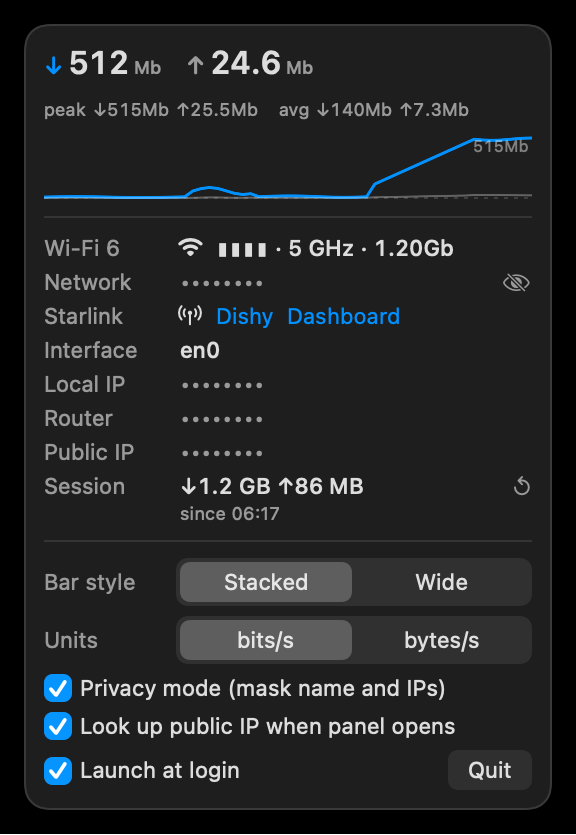
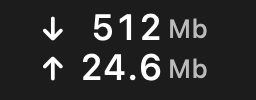
Privacy mode for screen sharing, and the stacked item up close: quiet lines dim, units stay small, digits stay aligned.
Install
- Unzip and move NetBar.app to your Applications folder.
- First open: right-click the app and choose Open. NetBar is not notarized (it is a free, locally built tool), so macOS may also ask you to allow it under System Settings > Privacy & Security > Open Anyway.
- To see your Wi-Fi network name, allow the one-time Location Services prompt - macOS gates the network name behind it. NetBar never tracks location.
- Turn on "Launch at login" from the panel if you want it always there.
Details
- Requires
- macOS 26+, Apple Silicon
- Size
- 209 KB zip, ~17 MB in memory
- CPU
- 0.25% average settled, measured over 120 s; sampling backs off to 4 s when idle and 6 s in Low Power Mode
- Network
- reads kernel counters only; one optional public-IP lookup when the panel opens, which you can switch off
- Privacy
- privacy mode masks the Wi-Fi name and every IP; masked rows never reach the clipboard
- Link
- Wi-Fi generation, signal, band and link rate, or the Ethernet / VPN link speed
- Interfaces
- counts the primary interface; when more than one is up, a picker pins the one the bar counts
- Starlink
- detects a dish on your LAN with one local handshake (zero satellite bytes) and links to Dishy and, if you set one, your own dashboard